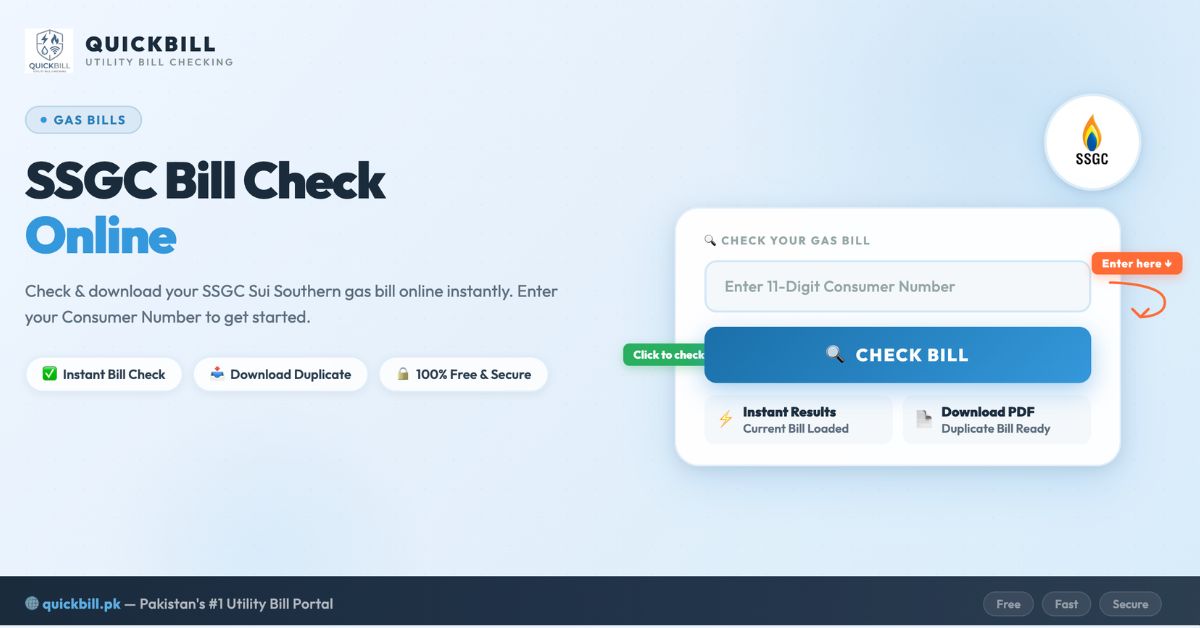
Check your SSGC bill online instantly using your 10-digit Customer Number. Simply enter your details in the bill checker above and view your latest SSGC gas bill within seconds. You can also download and print your SSGC bill check duplicate copy for payment or record-keeping purposes.
SSGC Bill Checker
Sui Southern Gas Company Ltd.
Sui Southern Gas Company Limited (SSGC) is the leading gas distribution company serving Sindh and Balochistan provinces of Pakistan. With over 3.2 million consumers across residential, commercial, and industrial sectors, SSGC plays a critical role in Pakistan’s energy infrastructure. On this page, you can perform a complete SSGC bill check online, learn how to view your gas bill using your Customer Number, download your bill as PDF, understand your gas charges and tariffs, and find everything you need — whether you are in Karachi, Hyderabad, Quetta, Sukkur, Larkana, or anywhere in SSGC’s service region. You can also use the SSGC bill check app for quick mobile access.
What Is SSGC?
SSGC stands for Sui Southern Gas Company Limited. It was established in 1955 following the discovery of natural gas in Sui, Balochistan in 1952. SSGC is listed on the Pakistan Stock Exchange (PSX) and operates under the regulation of OGRA (Oil and Gas Regulatory Authority). The company manages an extensive pipeline network for gas transmission and distribution across southern Pakistan.
SSGC is responsible for the transmission and distribution of natural gas to over 3.2 million consumers including domestic, commercial, industrial, and power sector consumers across Sindh and Balochistan. The company operates through multiple distribution regions and manages high-pressure transmission systems. SSGC also has its own meter manufacturing plant and engages in engineering, construction, and maintenance projects. SSGC’s headquarters is located at SSGC House, ST-4/B, Block 14, Sir Shah Suleman Road, Gulshan-e-Iqbal, Karachi, Sindh 74900, Pakistan.
Unlike electricity distribution companies (DISCOs) which require a 14-digit reference number, SSGC uses a 10-digit Customer Number to identify each gas connection. This number is essential for performing an online SSGC bill check.
Regions and Cities Served by SSGC
| Province / Region | Major Cities Covered |
|---|---|
| Sindh | Karachi, Hyderabad, Sukkur, Larkana, Nawabshah (Shaheed Benazirabad), Mirpurkhas, Thatta, Badin, Dadu, Jacobabad, Shikarpur, Khairpur, Sanghar, Umerkot, Tharparkar, Ghotki, Naushahro Feroze, Tando Allahyar, Tando Muhammad Khan, Jamshoro, Matiari, Kambar Shahdadkot |
| Balochistan | Quetta, Gwadar, Hub, Turbat, Khuzdar, Sibi, Zhob, Loralai, Pishin, Mastung, Kalat, Chaman, Nushki, Dera Murad Jamali (Nasirabad), Jaffarabad, Dera Bugti, Bolan |
Note: If you are located in Punjab, Khyber Pakhtunkhwa, Islamabad, or AJK, your gas supply is provided by SNGPL (Sui Northern Gas Pipelines Limited), not SSGC. This page covers SSGC bill check only.
How to Check SSGC Bill Online – Step by Step Guide
Performing an online SSGC bill check is a simple process that takes less than a minute. Here is how you can check your SSGC gas bill online in 2026:
- Step 1: Open the SSGC bill check tool available on this page or visit the official SSGC website at viewbill.ssgc.com.pk.
- Step 2: Enter your 10-digit Customer Number. This number is printed on the top section of your previous gas bill.
- Step 3: Complete the captcha verification if prompted.
- Step 4: Click the “Check Bill” or “Submit” button.
- Step 5: Your latest SSGC bill will be displayed showing total amount due, due date, gas consumption details, and meter reading.
- Step 6: You can download or print the bill as PDF for your records or payment purposes.
That’s it! Your online SSGC bill check process is now complete. This method works for all SSGC consumers across Sindh and Balochistan. You can also check your SSGC gas bill at any time — the service is available 24/7 and completely free. For even faster access on mobile, consider using the SSGC bill check app (SSGC Customer Connect) from the Google Play Store.
SSGC Bill Check Karne Ka Tarika (آسان اردو گائیڈ)
Agar aap apna SSGC bill online check karna chahte hain, to neeche diye gaye aasan steps follow karein:
- Is page par diye gaye SSGC bill checker tool ko kholein ya SSGC ki official website viewbill.ssgc.com.pk par jaayein.
- Apna 10-digit Customer Number darj karein. Yeh number aapke purane gas bill par likha hota hai (bill ke upar ki taraf).
- Agar captcha aaye to usey complete karein.
- “Check Bill” button par click karein.
- Chand seconds mein aapka taaza tareen SSGC bill screen par aa jaayega — total raqam, due date, gas units, aur meter reading sab kuch dikhai dega.
- Zarorat ho to bill download ya print kar lein.
Yeh SSGC bill check karne ka tarika sabse aasan aur tez hai jo aap ghar baithay apne mobile ya computer par kar sakte hain. Karachi, Hyderabad, Quetta, Sukkur, Larkana — kisi bhi sheher se aap SSGC bill check online kar sakte hain. Aap SSGC bill check app download bhi kar sakte hain Google Play Store se.
Where to Find Your SSGC Customer Number?
The SSGC Customer Number is the most important piece of information you need to perform an SSGC bill check online. Here is where and how to find it:
- Look at your previous SSGC gas bill (paper copy).
- The Customer Number is printed on the top-left section of the bill, labeled as “Customer No.” or “Consumer No.”
- It is a unique 10-digit numeric code assigned to your gas connection.
- Enter the number without any spaces or hyphens when using online tools.
- You can also find it on payment receipts from banks or service centers.
- Save this number on your phone or write it somewhere safe for future SSGC bill check purposes.
If you cannot find your Customer Number, contact the SSGC helpline at 1199 or visit the nearest SSGC Customer Facilitation Center (CFC) with your CNIC and property documents for assistance.
SSGC Bill Check by CNIC – Is It Possible?
Many consumers search for SSGC bill check by CNIC because they may not have their Customer Number handy. However, SSGC bill check by CNIC online is currently not available through the official SSGC website or portal.
The official method requires your 10-digit Customer Number only. You cannot check your SSGC bill using CNIC, name, address, or meter number online. SSGC bill check by meter number is also not supported through the official online system.
Alternative ways to get your Customer Number:
- Visit the nearest SSGC Customer Facilitation Center (CFC) with your original CNIC.
- Call the SSGC helpline at 1199 and provide your details.
- Check old gas bills or bank payment receipts where your Customer Number is printed.
- Ask a neighbor or landlord who may have a copy of the bill.
- Visit the SSGC regional office with your CNIC and property ownership proof.
What Details Are Shown on an SSGC Online Bill?
When you complete the online SSGC bill check, your SSGC gas bill will display the following detailed information:
| Detail | Description |
|---|---|
| Customer Name | The registered name on the gas connection |
| Customer Number | Your unique 10-digit identifier |
| Billing Month | The month for which the gas bill has been generated |
| Bill Issue Date | Date when the bill was issued |
| Due Date | Last date to pay without late payment surcharge |
| Meter Reading Date | The date when your gas meter was read |
| Previous Meter Reading | The meter reading from the last billing cycle |
| Current Meter Reading | The latest reading recorded for the current period |
| Gas Units Consumed (m³/MMBTU) | Total gas units used during the billing period |
| Gas Charges | Cost based on gas consumption and applicable tariff slab |
| GST (General Sales Tax) | 17% tax applied on gas consumption |
| Gas Infrastructure Development Cess (GIDC) | Government cess for gas infrastructure development |
| Meter Rent | Monthly rental charge for the gas meter |
| Total Amount Payable | Full bill amount before the due date |
| Amount After Due Date | Amount including late payment surcharge |
| Payment Status | Shows whether the previous bill has been paid or not |
| Payment History | Record of your gas bills for previous months |
| Emergency Contact Number | SSGC helpline and emergency numbers |
SSGC Bill Check Duplicate – Download and Print
If your monthly SSGC bill has not arrived, has been lost or damaged, or you need an extra copy, you can easily get an SSGC bill check duplicate online. The SSGC duplicate bill is an official digital copy of your monthly gas invoice generated through the SSGC billing system at viewbill.ssgc.com.pk. It includes all the same details as your original paper bill and is accepted for payment everywhere.
To Download Your SSGC Bill as PDF:
- Check your bill using the SSGC bill check tool on this page.
- Once the bill is displayed, click the “Download” button or press Ctrl+P.
- In the print dialog, change the destination to “Save as PDF”.
- Click “Save” to download the gas bill PDF to your device.
To Print Your SSGC Bill:
- After checking your SSGC bill online, click the “Print” button.
- Select your connected printer from the print dialog.
- Click “Print” to get a physical copy.
The SSGC duplicate gas bill is accepted for payment at all authorized bill collection points, banks, mobile payment apps, and post offices across Pakistan.
SSGC Bill Check App – Download and Use
For consumers who prefer checking their gas bill on mobile, SSGC offers the official SSGC Customer Connect App. This SSGC bill check app brings real-time data to your fingertips and makes bill management effortless.
How to Download SSGC Bill Check App:
- Open Google Play Store on your Android mobile.
- Search for “SSGC Customer Connect” in the search bar.
- Tap the Install button and wait for the SSGC bill check app download to complete.
- Once installed, open the app and register with your Name, Customer Number, Phone Number, and Email.
- After registration, you can view your bill instantly without entering your Customer Number every time.
Key Features of the SSGC App:
- View and download current and old gas bills.
- Pay your gas bill online directly from the app.
- Track bill payment history and records.
- File and manage complaints about gas supply or billing issues.
- Receive safety tips and guidelines from SSGC.
- Contact customer support via helpline directly from the app.
You can also use the Gas Bill Checker app from Google Play Store to check and manage all Pakistan gas bills (both SSGC and SNGPL) in one place.
SSGC Bill Payment Methods
After completing your SSGC bill check online, you can pay your gas bill through multiple convenient methods:
Online Payment Methods
| Method | How to Pay |
|---|---|
| JazzCash | Open app → Bill Payment → Gas → Select SSGC → Enter Customer Number → Pay |
| EasyPaisa | Open app → Bill Payment → Gas → Select SSGC → Enter Customer Number → Pay |
| SadaPay | Open app → Payments → Bills & Utilities → Search SSGC → Enter Customer Number → Pay |
| NayaPay | Open app → Bill Payment → Select SSGC → Enter Customer Number → Pay |
| UPaisa | Open app → Bill Payment → Gas → Select SSGC → Enter Customer Number → Pay |
| Bank Mobile Apps | HBL, UBL, MCB, Meezan Bank, Allied Bank, Bank Alfalah, NBP, Faysal Bank, Askari Bank |
| Internet Banking | Log into your bank’s online portal → Utility Bills → Select SSGC → Pay |
| ATM Machines | Select Bill Payment option → Enter Customer Number → Confirm payment |
| SSGC Customer Connect App | Open app → Pay Bill → Confirm amount → Complete payment securely |
| Gas Bill Checker App | Download the Gas Bill Checker app from Google Play Store to check and manage all Pakistan gas bills in one place |
Offline Payment Methods
- Bank Branches – Visit any commercial bank (HBL, UBL, ABL, NBP, MCB, Bank Alfalah, Meezan Bank) and pay at the counter with your bill copy.
- Pakistan Post Offices (GPO/NPO) – Post offices across Pakistan accept gas bill payments.
- SSGC Customer Facilitation Centers (CFCs) – Visit any SSGC CFC to pay in person.
- NADRA e-Sahulat Centers – Pay your gas bill at NADRA kiosks and franchise outlets.
- EasyPaisa/JazzCash Retail Shops – Pay at any nearby franchise without needing a mobile wallet account.
Tip: Always verify your SSGC bill amount and due date before making payment. Paying before the due date helps you avoid late payment surcharges.
SSGC Gas Tariff Slabs Explained
Understanding the SSGC gas tariff slabs is important for managing your gas consumption and SSGC bill. SSGC charges gas on a slab-based system where higher consumption leads to higher per-unit rates:
Domestic Gas Tariff Slabs (OGRA Approved)
| Slab | Consumption (MMBTU) | Rate per MMBTU (Approx.) |
|---|---|---|
| Slab 1 | Up to 0.5 MMBTU | Rs. 121 |
| Slab 2 | 0.5 to 1.0 MMBTU | Rs. 302 |
| Slab 3 | 1.0 to 2.0 MMBTU | Rs. 605 |
| Slab 4 | 2.0 to 3.0 MMBTU | Rs. 968 |
| Slab 5 | 3.0 to 4.0 MMBTU | Rs. 1,452 |
| Slab 6 | Above 4.0 MMBTU | Rs. 1,694 |
Note: These rates are approximate and subject to change by OGRA. Winter billing months (November to February) typically have higher consumption due to gas heater and geyser usage. SSGC also offers a Domestic Bill Calculator on their official website for consumers to estimate their gas charges. Always perform an SSGC bill check to see the actual applicable rate.
Tips to Save on Your SSGC Gas Bill
- Use gas heaters sparingly — gas heaters are the biggest contributor to winter bills.
- Set your geyser timer to 15-20 minutes max — do not keep it running all day.
- Use energy-efficient cooking stoves and cook on medium flame.
- Ensure your gas appliances are properly maintained — leaking burners waste gas.
- Use pressure cookers instead of regular pots to cook faster with less gas.
- Cover pots with lids while cooking to retain heat.
- Check for gas leaks regularly — a hissing sound or gas smell indicates a leak.
- Consider switching from gas geysers to solar water heaters or instant electric water heaters for long-term savings.
- Insulate your home properly during winter to reduce dependence on gas heating.
SSGC Gas Bill Taxes and Charges Explained
Your SSGC bill includes several taxes and surcharges beyond the base gas charges. Here is a detailed breakdown of every charge you see on your SSGC gas bill:
| Charge | Description |
|---|---|
| Gas Charges | Based on the number of gas units consumed (MMBTU). Rates depend on the tariff slab and consumer category (domestic, commercial, industrial). |
| GST (General Sales Tax) | 17% tax applied on gas consumption as per FBR regulations. This is the most significant additional charge on your bill. |
| GIDC (Gas Infrastructure Development Cess) | Government-imposed cess for development of gas infrastructure across Pakistan. Amount varies by consumer category. |
| Meter Rent | Monthly rental charge for the gas meter installed at your premises. |
| Fixed Charges | A fixed monthly amount applicable to certain connection types regardless of consumption. |
| Income Tax | Applicable on commercial and industrial consumers as per FBR withholding tax rules. |
| Late Payment Surcharge | Additional charge if the bill is not paid by the due date. Typically calculated as a percentage of the outstanding amount. |
| Arrears | Previous unpaid amounts carried forward to the current bill. |
| Security Deposit | One-time refundable deposit charged at the time of new connection, may appear as adjustment in certain bills. |
Note: Gas bills tend to be significantly higher in winter months (November to February) due to increased geyser and heater usage. If your bill seems unusually high, compare your gas units consumed with previous months using the online SSGC bill check and report suspected meter faults to SSGC helpline 1199.
SSGC Gas Supply Schedule
SSGC operates a gas load management schedule during winter months to ensure fair distribution of gas supply across domestic, commercial, and industrial consumers. Here are the typical gas supply timings:
Regular SSGC Gas Timings
| Time Slot | Gas Availability |
|---|---|
| Morning | 6:30 AM – 9:00 AM |
| Noon | 12:00 PM – 2:00 PM |
| Evening | 7:00 PM – 9:00 PM |
Ramadan Gas Schedule
| Time Slot | Gas Availability |
|---|---|
| Sehri | 2:30 AM – 4:30 AM |
| Morning | 7:00 AM – 8:00 AM |
| Afternoon | 1:00 PM – 2:00 PM |
| Evening/Iftar | 5:00 PM – 10:00 PM |
Note: During the first three days of Eid, SSGC typically provides 24-hour gas supply. These timings are subject to change and may vary by region. Always check the latest SSGC gas schedule on the official website or through the SSGC bill check app.
SSGC Gas Safety Guidelines
Natural gas is highly flammable and requires careful handling. SSGC has issued the following safety guidelines to prevent gas-related accidents:
- Gas Leak: If you smell gas, immediately turn off all gas appliances, open windows and doors, do NOT use electrical switches, lighters, or matchsticks, and call SSGC emergency helpline 1199 immediately.
- Never use rubber pipes (compressor pipes) for permanent gas connections — use only SSGC-approved copper or steel pipes.
- Get your gas appliances installed and serviced by qualified technicians only.
- Never sleep with a gas heater running in a closed room — it can cause carbon monoxide poisoning.
- Regularly check for gas leaks by applying soapy water to pipe joints — bubbling indicates a leak.
- Keep gas cylinders (LPG) away from the gas pipeline area.
- Never tamper with the gas meter — it is illegal and extremely dangerous.
- Do not dig near underground gas pipelines without obtaining NOC from SSGC.
- Report any gas theft (kunda) to SSGC — unauthorized gas connections are dangerous and illegal.
Common Issues While Checking SSGC Bill Online
| Issue | Solution |
|---|---|
| “Bill Not Found” Error | Double-check your 10-digit Customer Number for typos. Ensure you haven’t included any spaces or hyphens. Even one wrong digit will prevent the bill from loading. |
| Bill Shows Old Month | Current month’s bill may not be uploaded yet. SSGC bills are usually available within a few days of generation. Try again in a few days. |
| Page Not Loading / Slow | The SSGC website (viewbill.ssgc.com.pk) may have high traffic. Try during off-peak hours (early morning). Clear browser cache and cookies. |
| Cannot Find Customer Number | Check old gas bills, ask landlord, visit nearest SSGC CFC with CNIC, or call helpline 1199. |
| Trying to Check by CNIC/Name/Meter | SSGC does not support bill check by CNIC, name, address, or meter number online. You must use the 10-digit Customer Number. |
| Bill Amount Seems Too High | Check gas units consumed and compare with previous months. Winter months typically have higher bills. Verify meter reading is accurate. If you suspect a fault, file a complaint at 1199. |
| Slab Jump Issue | Moving to a higher slab dramatically increases per-unit rate. Check if you crossed a slab threshold. Reduce consumption to bring bill back to a lower slab. |
| Captcha Not Loading | Refresh the page, try a different browser (Chrome, Firefox, Edge), or clear cookies. Disable ad-blockers temporarily. |
| Payment Not Reflecting | Bank and wallet payments may take 24-48 hours to sync with SSGC system. Check bill status again after 2 days. |
SSGC New Gas Connection – How to Apply
If you want a new gas connection in your home, shop, or factory, SSGC provides an application system for domestic, commercial, and industrial connections.
Types of SSGC Gas Connections:
- Domestic Gas Connection – For homes and apartments. Requires CNIC, property ownership proof, and other verification documents.
- RLNG Domestic Gas Connection – For households under the RLNG (Regasified LNG) policy.
- Commercial Gas Connection – For offices, shops, restaurants, and other commercial establishments.
- Industrial Gas Connection – For factories, plants, and large-scale industrial consumers.
Required Documents: CNIC copy, property ownership proof (registry/allotment letter), two passport-size photographs, NOC from the housing society (if applicable), and completed application form. Visit www.ssgc.com.pk for detailed application forms and processing guidelines.
SSGC Helpline and Customer Support
For billing inquiries, gas supply issues, meter complaints, new connections, or emergencies, contact SSGC through:
- SSGC Helpline (24/7 — Emergency & General): 1199
- Customer Service Number: 021-99021000
- General Info Email: info@ssgc.com.pk
- Official Website: www.ssgc.com.pk
- View Bill Online: viewbill.ssgc.com.pk
- Domestic Bill Calculator: www.ssgc.com.pk → Customer Management → Domestic Bill Calculator
- Customer Facilitation Centers (CFCs): Available in all franchise areas across Sindh and Balochistan
- Complaints/Feedback: www.ssgc.com.pk → Helpline & Complaints → Complaints/Feedback
- Grievance Redressal Committee (GRC): For unresolved complaints escalation
- Head Office Address: SSGC House, ST-4/B, Block 14, Sir Shah Suleman Road, Gulshan-e-Iqbal, Karachi, Sindh 74900, Pakistan
- Gas Bill Checker App: Download the Gas Bill Checker app from Google Play Store to check and manage all gas bills
For billing disputes, always keep your Customer Number, CNIC, and recent bill copies ready when contacting customer support. If your issue is not resolved at the helpline or CFC level, you can escalate it to the SSGC Grievance Redressal Committee (GRC) or the OGRA Complaint Cell.
Frequently Asked Questions (FAQs)
How can I check my SSGC bill online?
You can check your SSGC bill online by entering your 10-digit Customer Number in the gas bill checker tool on this page or by visiting viewbill.ssgc.com.pk. Your latest SSGC gas bill will be displayed within seconds showing amount, due date, units consumed, and full bill details. The service is available 24/7 and is completely free.
What is the SSGC Customer Number and where can I find it?
The SSGC Customer Number is a unique 10-digit code assigned to your gas connection. You can find it printed on the top-left section of your previous gas bill, labeled as Customer No. or Consumer No. It is also printed on payment receipts from banks. Save this number on your phone for quick access when you need to perform an SSGC bill check.
Can I check SSGC bill by CNIC?
No, SSGC bill check by CNIC is not supported through the official SSGC online portal. You need your 10-digit Customer Number to check your gas bill. SSGC bill check by meter number is also not available online. If you don’t have your Customer Number, visit the nearest SSGC Customer Facilitation Center with your CNIC or call the helpline at 1199.
How can I download my SSGC duplicate bill?
After checking your SSGC bill online, click the Download button or press Ctrl+P, change the destination to Save as PDF, and click Save. Your SSGC duplicate bill will be downloaded as a PDF file that you can print or save for record-keeping. The duplicate bill is identical to the original and is valid for payment everywhere.
Is checking SSGC bill online free?
Yes, checking your SSGC bill online is completely free. You can check, view, download, and print your SSGC gas bill as many times as you need without any charges or registration. The service is available 24 hours a day, 7 days a week.
How can I pay my SSGC gas bill online?
You can pay your SSGC gas bill online through JazzCash, EasyPaisa, SadaPay, NayaPay, UPaisa, bank mobile apps, internet banking, ATM machines, or the SSGC Customer Connect app. Select SSGC as the provider and enter your Customer Number to make the payment.
Which areas does SSGC cover?
SSGC covers Sindh and Balochistan provinces. Major cities include Karachi, Hyderabad, Sukkur, Larkana, Quetta, Gwadar, Hub, Nawabshah, Mirpurkhas, and many more. For Punjab, KPK, AJK, and Islamabad, SNGPL provides gas supply instead of SSGC.
What is the SSGC helpline number?
The SSGC helpline number is 1199, available 24/7 for emergencies, gas leakage reports, billing inquiries, and general complaints. You can also call the customer service number 021-99021000 or email info@ssgc.com.pk for assistance.
How do I check my SSGC bill history?
You can check your SSGC bill history by visiting viewbill.ssgc.com.pk and entering your Customer Number. The system shows your current and previous bills. For a more comprehensive bill history, download the SSGC Customer Connect app which stores records of all checked and paid bills.
How to check SSGC bill paid or not?
To check whether your SSGC bill is paid or not, perform an online SSGC bill check using your Customer Number. The bill will show the payment status — if it shows Paid or Zero Balance, your bill has been deposited. If it still shows unpaid, the payment may take 24-48 hours to reflect in the system.
What is the SSGC bill check app?
The official SSGC bill check app is called SSGC Customer Connect, available on Google Play Store. It allows you to view current and old bills, pay bills online, file complaints, track payment history, and receive safety tips. You can also use the Gas Bill Checker app to check both SSGC and SNGPL bills in one place.
How can I check my SSGC bill by meter number?
SSGC bill check by meter number is not available through the official online portal. The only way to check your SSGC bill online is by using your 10-digit Customer Number. If you only have your meter number, visit the nearest SSGC office or call 1199 to retrieve your Customer Number.
SSGC bill check karne ka tarika kya hai?
SSGC bill check karne ka tarika bohat aasan hai. Is page par SSGC bill checker tool kholein, apna 10-digit Customer Number darj karein, aur Check Bill button dabayein. Chand seconds mein aapka gas bill screen par aa jaayega. Aap Karachi, Hyderabad, Quetta ya kisi bhi sheher se online SSGC bill check kar sakte hain.
Conclusion
SSGC bill check online is the most convenient and fastest way to view your Sui Southern Gas Company bill in 2026. Whether you are a residential consumer in Karachi, a business owner in Hyderabad, living in Quetta, Sukkur, Larkana, or anywhere across SSGC’s service area in Sindh and Balochistan, you can easily check your SSGC bill from anywhere using just your 10-digit Customer Number.
This guide covered everything you need to know about online SSGC bill check, including the step-by-step process, Customer Number lookup, SSGC bill check duplicate download and print, SSGC bill check app features, payment methods (online and offline), SSGC gas tariff slabs, taxes and charges explained, gas supply schedule, gas safety guidelines, new gas connection process, common troubleshooting tips, SSGC bill check by CNIC alternatives, SSGC bill check by meter number clarification, and frequently asked questions.
Bookmark this page for quick access whenever you need to perform an SSGC bill check. Stay updated with your billing information, pay on time, and avoid late payment surcharges.
Disclaimer: This is an informational guide to help SSGC consumers check their gas bills online. This website is not affiliated with SSGC, OGRA, or the Government of Pakistan. For official inquiries, please visit www.ssgc.com.pk or call 1199.
